Note
Access to this page requires authorization. You can try signing in or changing directories.
Access to this page requires authorization. You can try changing directories.
Azure DevOps Services | Azure DevOps Server | Azure DevOps Server 2022 | Azure DevOps Server 2020
With Azure Pipelines, you can set up a classic pipeline to build your project. This article will guide you through checking the history of your classic pipeline to see what changed, when it happened, and who made the changes.
Prerequisites
Create an Azure DevOps organization and a project if you haven't already.
A working Classic pipeline.
View pipeline history
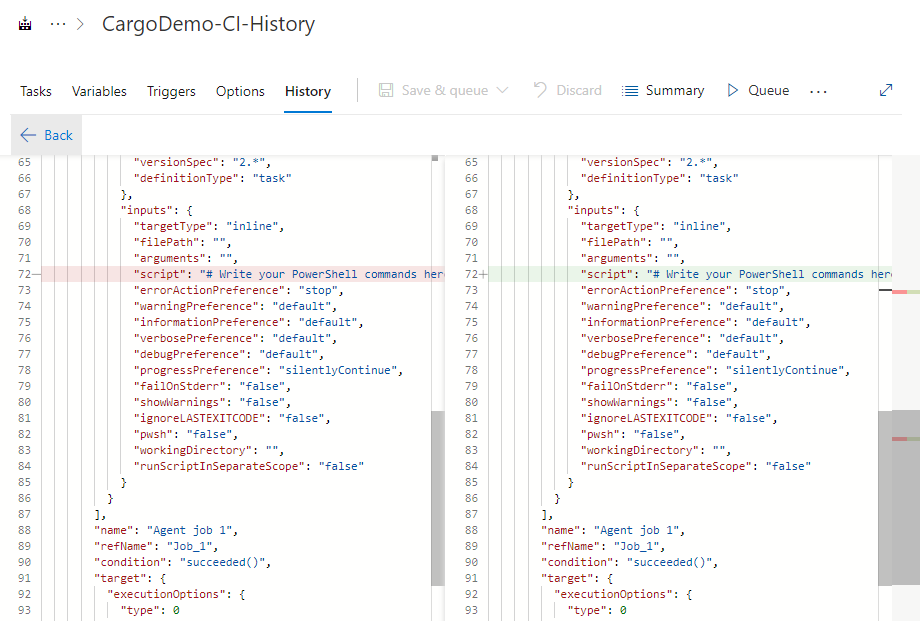
To take action on a change, select it, select the ellipsis button ..., and then choose either Compare Difference or Revert Pipeline.
Note
When viewing the compare difference in Classic pipeline history, the JSON files are read-only and cannot be edited directly.