Note
Access to this page requires authorization. You can try signing in or changing directories.
Access to this page requires authorization. You can try changing directories.
Microsoft 365 for the web applications send edits from the browser to the server as often as possible. However, this process is not instantaneous and can be influenced by many factors including network latency and quality.
Microsoft 365 for the web displays the save status in the bottom status bar:
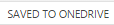
Figure 19 - The ‘Saved to…’ UI for OneDrive
If the status bar reads Saved or Saved to <HOST NAME>, then the edits have successfully made
it to the server. However, if the status bar reads Saving… or Working…, then the edits have not yet been sent to the server and may be lost if the browser is closed or if you navigate away from the Microsoft 365 for the web application immediately.