**I have encountered the following errors:
Error 1 :**
Description
A problem with your hardware caused Windows to stop working correctly.
Problem signature
Problem Event Name: LiveKernelEvent
Code: 1a8
Parameter 1: a
Parameter 2: 0
Parameter 3: 0
Parameter 4: 0
OS version: 10_0_26200
Service Pack: 0_0
Product: 768_1
OS Version: 10.0.26200.2.0.0.768.101
Locale ID: 1033
Extra information about the problem
Bucket ID: LKD_0x1A8_10_OSGraphicsMonitorNoModeSetTSDD_dxgkrnl!DISPLAYSTATECHECKER::CreateBlackScreenLiveDump
**Error 2:
**Description
A problem with your hardware caused Windows to stop working correctly.
Problem signature
Problem Event Name: LiveKernelEvent
Code: 117
Parameter 1: ffffb209aed22010
Parameter 2: fffff8012ec09d70
Parameter 3: 0
Parameter 4: 0
OS version: 10_0_26200
Service Pack: 0_0
Product: 768_1
OS Version: 10.0.26200.2.0.0.768.101
Locale ID: 1033
Extra information about the problem
Bucket ID: LKD_0x117_Tdr:9_IMAGE_nvlddmkm.sys_Ada
**
Error 3:
**Description
A problem with your hardware caused Windows to stop working correctly.
Problem signature
Problem Event Name: LiveKernelEvent
Code: 141
Parameter 1: ffffb209aef6a010
Parameter 2: fffff8012ec09d70
Parameter 3: 0
Parameter 4: ffffb2099a0e8080
OS version: 10_0_26200
Service Pack: 0_0
Product: 768_1
OS Version: 10.0.26200.2.0.0.768.101
Locale ID: 1033
Extra information about the problem
Bucket ID: LKD_0x141_Tdr:6_IMAGE_nvlddmkm.sys_Ada_3D
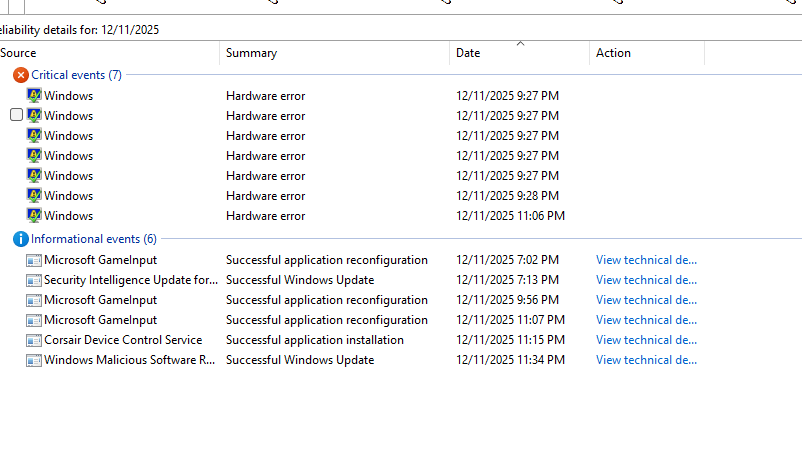
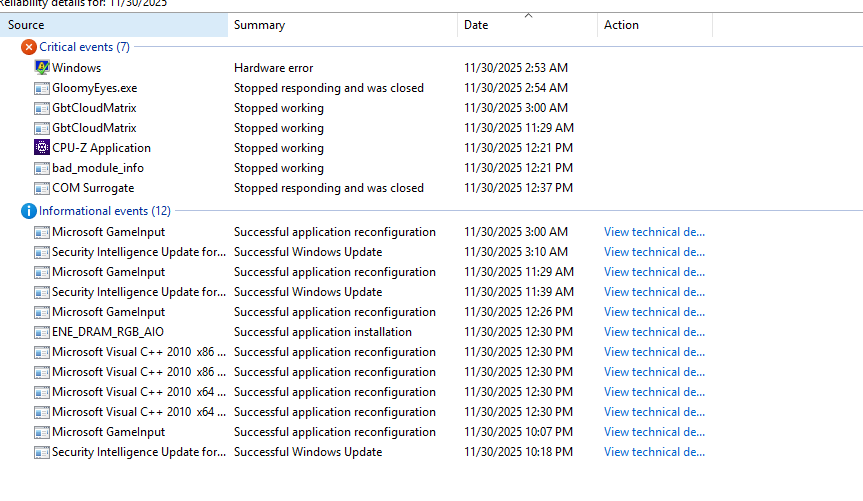
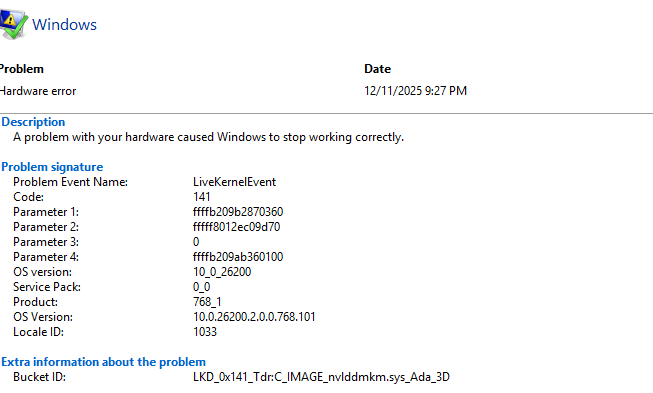
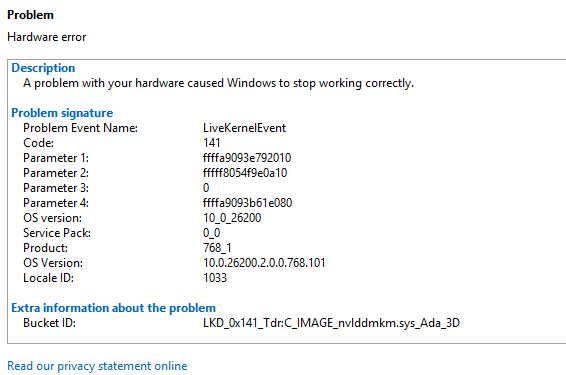
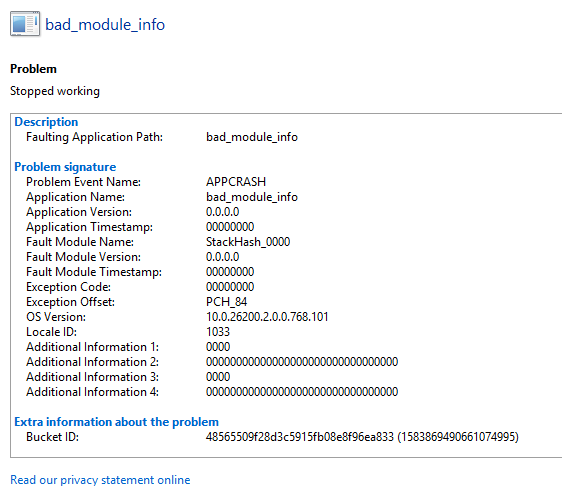
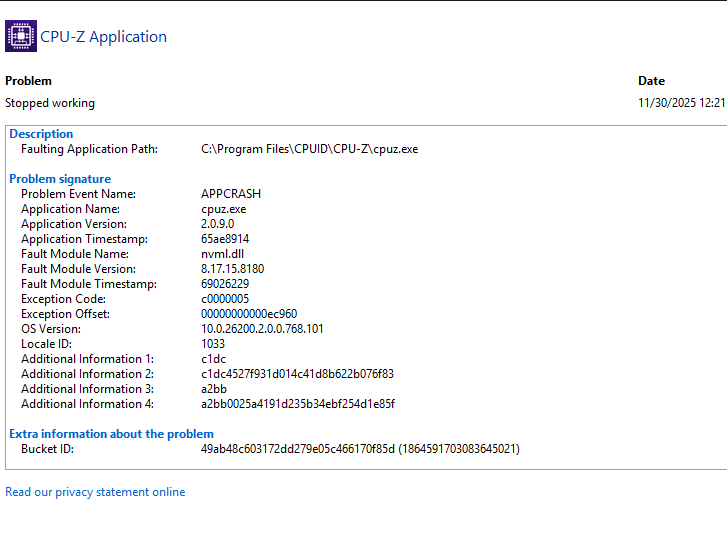
And several more which Ill post as images so i dont clog up the message! I have tried looking at temps but theyre normal, i reinstalled the graphics drivers from the nvidia app and I am at a complete loss.
' cx='32' cy='32' r='32' /%3E%3Ctext x='50%25' y='55%25' dominant-baseline='middle' text-anchor='middle' fill='%23FFF' %3EM%3C/text%3E%3C/svg%3E)

' cx='32' cy='32' r='32' /%3E%3Ctext x='50%25' y='55%25' dominant-baseline='middle' text-anchor='middle' fill='%23FFF' %3ELB%3C/text%3E%3C/svg%3E)