' cx='32' cy='32' r='32' /%3E%3Ctext x='50%25' y='55%25' dominant-baseline='middle' text-anchor='middle' fill='%23FFF' %3EMD%3C/text%3E%3C/svg%3E)

' cx='32' cy='32' r='32' /%3E%3Ctext x='50%25' y='55%25' dominant-baseline='middle' text-anchor='middle' fill='%23FFF' %3EMP%3C/text%3E%3C/svg%3E)
Export in new Outlook
Outlook Data File (.pst) support in new Outlook provides access to emails stored in a .pst file. You can browse, manage, and move emails (drag and drop) between .pst files and mailboxes. See Open and close Outlook Data Files (.pst).
Important: Calendar and contacts items saved in .pst files is not available in new Outlook at this time.
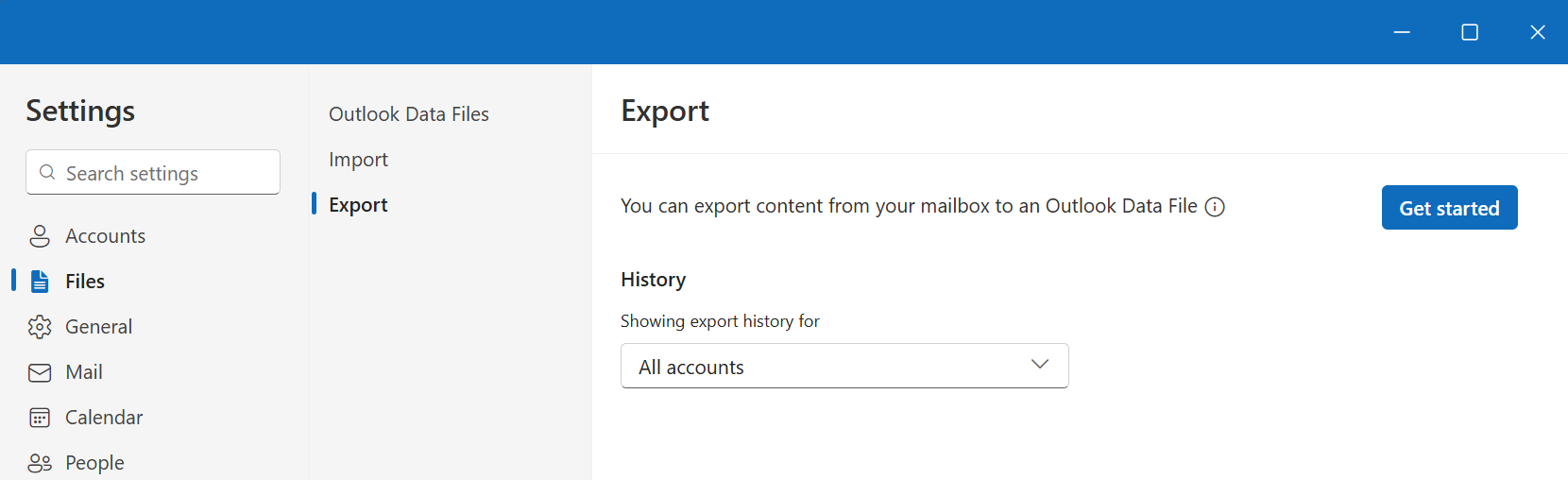
To export an Outlook Data File (.pst), go to Settings Glyph Library: fluent Glyph Name: Settings > Files > Export.
Select Get started.
Follow the steps in the wizard to select the mailbox or specific folders you want to export.
If the above response helps answer your question, remember to "Accept Answer" so that others in the community facing similar issues can easily find the solution. Your contribution is highly appreciated.
hth
Marcin