Hi trevelan,
Welcome to Microsoft Q&A Forum! Have a good day and I hope you're doing well!
I totally get how frustrating it is to see duplicate events on your calendar especially in an education environment where a single doubled meeting can mess up the whole day. Thank you for the very clear description!
I just reproduced your exact scenario in my test environment:
- Account A creates a weekly recurring meeting
- Account B (on New Outlook for Mac) accepts the series > everything looks normal
- Account A edits only This occurrence > changes the time > Send Update
- Account B accepts the update
Result on my test Mac: no duplicates at all only one event appears at the new time with the little “broken chain” icon in the corner.
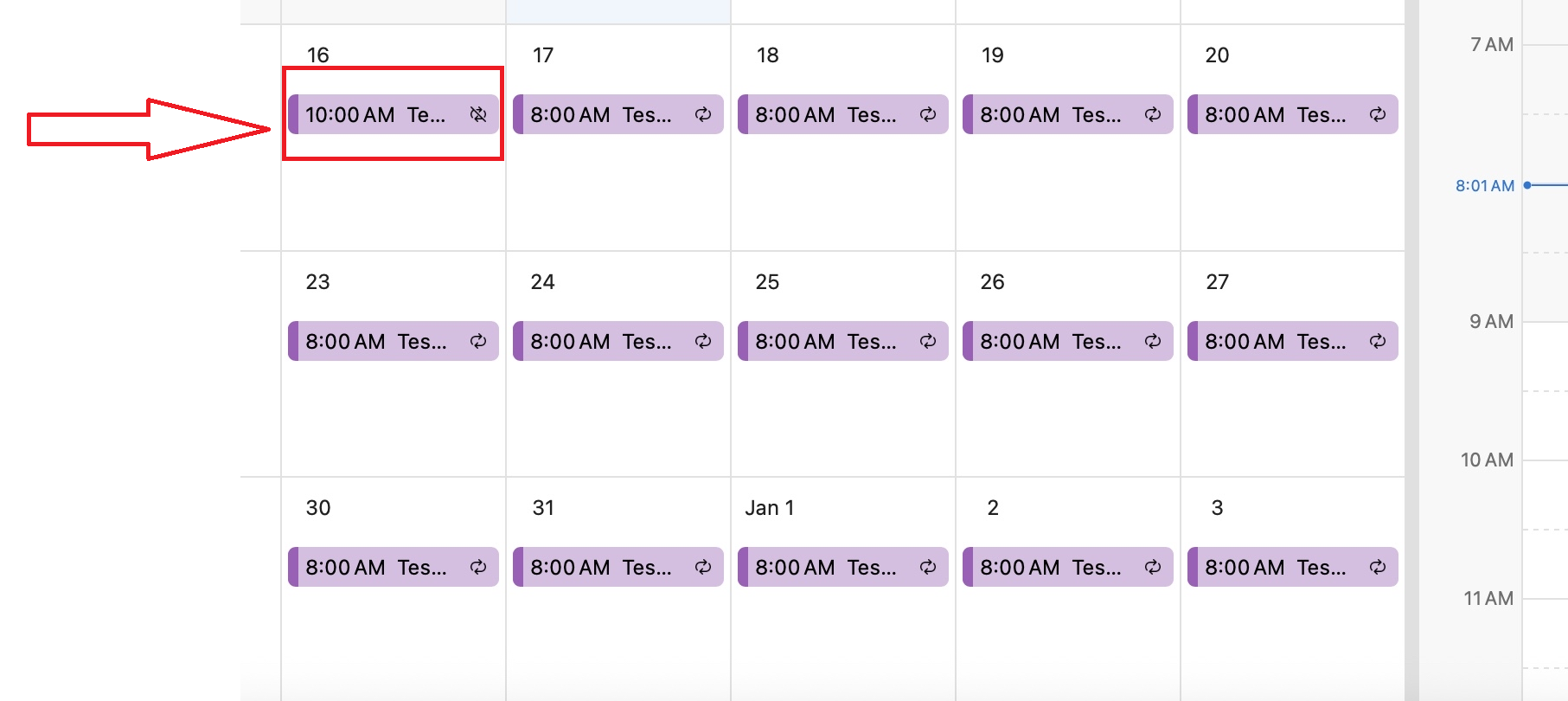 That said, while helping many users over the past few months, I’ve noticed that the way New Outlook for Mac handles recurring-meeting exceptions is not yet 100% consistent across all devices, even when the exact same steps and version are used. On some machines the old instance still lingers, while on others (like my test ones today) the update is perfectly clean.
Super-reliable workaround I recommend: Instead of editing the occurrence, have the organizer do this:
- Open the series > select the specific instance that needs a new time
- Cancel This Occurrence only (send the cancellation)
- Immediately create a brand-new single (non-recurring) meeting with the new time, same subject, and same attendees
- Send the new invitation
This cleanly removes the old instance and creates a fresh independent event > New Outlook for Mac handles it perfectly with no duplicates.
A couple of quick questions so I can help you even better:
- Does the organizer (User1) also see duplicates when opening the calendar in New Outlook for Mac, or is it only the attendees (User2)?
- Could you share 1–2 screenshots of User2’s calendar showing the duplicate? That would help me pinpoint the exact cause.
If it’s only happening on certain machines, please try these two quick steps on the affected Mac (they’ve fixed it instantly for many people):
- Reset Account: Clear the cache in Outlook for Mac
- If needed: Remove the account > restart the Mac > add the account back.
I hope this is at least partially helpful. If I’ve misunderstood anything, or if you have any update, feel free to reach out anytime!
If the answer is helpful, please click "Accept Answer" and kindly upvote it. If you have extra questions about this answer, please click "Comment".
Note: Please follow the steps in our documentation to enable e-mail notifications if you want to receive the related email notification for this thread.
' cx='32' cy='32' r='32' /%3E%3Ctext x='50%25' y='55%25' dominant-baseline='middle' text-anchor='middle' fill='%23FFF' %3ET%3C/text%3E%3C/svg%3E)


' cx='32' cy='32' r='32' /%3E%3Ctext x='50%25' y='55%25' dominant-baseline='middle' text-anchor='middle' fill='%23FFF' %3EMP%3C/text%3E%3C/svg%3E)