Hello Jessica Lindauer
Thank you for reaching out to Microsoft Q&A Forum. I understand how stressful this situation is, especially when many things are linked to that account.
Because you mentioned you don't have access to any recovery phone or email, your best chance is to fill the recovery form again with as much accurate detail as you can remember. Please try the following steps:
1. Please resubmit the Account Recovery Form via https://account.live.com/acsr
- Enter the locked email and an alternate email where Microsoft can contact you.
- Provide as many accurate details as possible, such as old passwords, frequent contacts/subject lines and submit from a familiar device/location.
- Wait 24–72 hours for a response. You may refine and resubmit up to twice per day.
- Please refer to this official guide to help you fill out the form more accurately: Help with the Microsoft account recovery form- Microsoft Support
Prevent getting stuck in loops:
- Clear your browser cache/cookies before starting recovery process
- Use a different browser/ network or try in incognito mode
2. If the page says the account is locked due to unusual activity
In that case, submit the Account Reinstatement form, which is specifically for accounts locked due to suspicious activity and different from the Account Recovery form (ACSR) above.
3. If the recovery form fails, contact Microsoft Support directly
If the form doesn’t work or get rejected, please reach out to Contact - Microsoft Support
- Search for "Account Recovery" in the search box.
- Click "Get Help" and press Enter, then scroll to the bottom and select "Contact Support”.
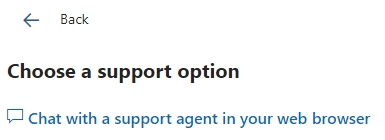
- Look for and select "Chat with a support agent in your web browser" (during business hours) or a similar callback option (if available). Explain your situation clearly.
- Persistence: It can sometimes take multiple attempts to reach a helpful agent or to get your case escalated. Some agents may still direct you back to the form, please let them know you’ve exhausted that option and request further assistance.
- Please note that The Chat support team only works at certain times, so if the last window says you are not available, try to open it again the next day. If you prefer phone support, you can leave a phone number. That way, they can contact you back and help you further.
You can also contact Xbox Support to see if there is any goodwill option.
For more details, you can see these official support links:
Thank you for your understanding and patience. Feel free to let me know how it goes and which steps you've already tried.
If the answer is helpful, please click "Accept Answer" and kindly upvote it. If you have extra questions about this answer, please click "Comment".
Note: Please follow the steps in our documentation to enable e-mail notifications if you want to receive the related email notification for this thread.
' cx='32' cy='32' r='32' /%3E%3Ctext x='50%25' y='55%25' dominant-baseline='middle' text-anchor='middle' fill='%23FFF' %3EJL%3C/text%3E%3C/svg%3E)


' cx='32' cy='32' r='32' /%3E%3Ctext x='50%25' y='55%25' dominant-baseline='middle' text-anchor='middle' fill='%23FFF' %3EWB%3C/text%3E%3C/svg%3E)