Dear @Chorus La Jolla Symphony,
Thank you for posting your question in the Microsoft Q&A forum.
Outlook’s “Newsletters” experience is designed for internal communications. Microsoft’s own docs/presentations describe it as a way to publish and let people inside your organization discover, subscribe, and read series-based emails, with analytics aggregated per newsletter. External sending isn’t in scope for this feature. For reference: Manage storage locations for newsletters
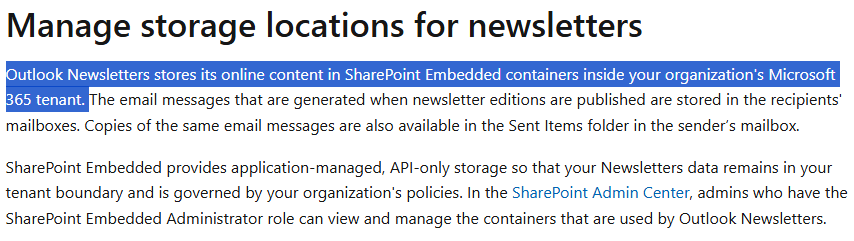
Because of that internal focus, the recipient picker won’t surface personal Contact lists or external distribution lists, and search won’t return your external groups when you try to add addresses to a newsletter. (Discovery/subscription is tenant-bound by design.)
Moreover, I totally agree that the ability to send newsletters to external recipients with full subscription management and compliance features would add significant value for many organizations. At present, Outlook’s built‑in Newsletter feature is designed for internal audiences only, which can be restrictive for broader communication needs.
Microsoft actively reviews customer feedback when prioritizing new capabilities. Therefore, I highly recommend submitting your feedback directly to Microsoft Ideas · Community, where our product development team can know your requirements and ideas for product improvements. Every submission helps shape future product improvements, and the more voices advocating for this feature, the higher its visibility with the product team.
Note: As Microsoft Community moderators, please note that we are not involved in product design decisions and do not have direct access to the development roadmap, we want to assure you that your feedback has been acknowledged and is valued.
Recommended Workaround:
For sending true newsletters, where subscription management, branding, deliverability, and opt‑out compliance are critical, it’s best to use a dedicated email service provider (ESP) or Microsoft solutions designed for external campaigns, such as Dynamics 365 Marketing. These platforms provide:
- Subscription and consent management to meet compliance requirements.
- Advanced deliverability features with proper authentication (SPF, DKIM, DMARC) to reduce spam filtering.
- Branding and analytics for consistent design and performance tracking.
- For more information, please refer to:
Your IT or Exchange administrator should ensure that domain authentication records (SPF, DKIM, DMARC) are correctly configured so your campaigns reach inboxes reliably.
I hope this information is helpful. If I misunderstand anything, please feel free to reach out.
Please understand that our initial response does not always resolve the issue immediately. However, with your help and more detailed information, we can work together to find a solution.
Thank you for your patience and your understanding. If you have any questions, please feel free to reach out.
I'm looking forward for your reply.
If the answer is helpful, please click "Accept Answer" and kindly upvote it. If you have extra questions about this answer, please click "Comment".
Note: Please follow the steps in our documentation to enable e-mail notifications if you want to receive the related email notification for this thread.

' cx='32' cy='32' r='32' /%3E%3Ctext x='50%25' y='55%25' dominant-baseline='middle' text-anchor='middle' fill='%23FFF' %3ECL%3C/text%3E%3C/svg%3E)

' cx='32' cy='32' r='32' /%3E%3Ctext x='50%25' y='55%25' dominant-baseline='middle' text-anchor='middle' fill='%23FFF' %3ECV%3C/text%3E%3C/svg%3E)
' cx='32' cy='32' r='32' /%3E%3Ctext x='50%25' y='55%25' dominant-baseline='middle' text-anchor='middle' fill='%23FFF' %3EVH%3C/text%3E%3C/svg%3E)