Microsoft 365 and Office | Loop | Other
A collaborative workspace app in Microsoft 365 designed to help teams co-create, stay organized, and work together in real time across apps and devices.

This browser is no longer supported.
Upgrade to Microsoft Edge to take advantage of the latest features, security updates, and technical support.
' cx='32' cy='32' r='32' /%3E%3Ctext x='50%25' y='55%25' dominant-baseline='middle' text-anchor='middle' fill='%23FFF' %3EA%3C/text%3E%3C/svg%3E)
A few of my other colleagues and I use Loop for project tracking and when they are tasked/mentioned in an action item, their Loop page will show a number of times they were mentioned. However, my Loop does not show any of the # of mentions when someone mentions me. I'm unsure if I have a fluke or if I need to turn something on.
Locked Question. This question was migrated from the Microsoft Support Community. You can vote on whether it's helpful, but you can't add comments or replies or follow the question.
Hello Mimisn,
Welcome to the Microsoft Support Community!
We apologize for any issues you are experiencing with Loop does not show any of the # of mentions when someone mentions you. We will help you solve this problem.
To fix this issue, follow these steps:
Check Notifications Settings:
Ensure that you have enabled notifications for Loop in their device settings. This is crucial for receiving alerts when mentioned in a Loop document.
Adjust Outlook Notifications:
Go to Outlook Preferences > Notifications > Loop and uncheck the option for notifications when mentioned. Restart Outlook and check the option again. This can help resolve issues with missing notifications
Clear app cache: if you are using Loop app
By design, using the @mention on the SharePoint Online sites does not show whether users have permissions and what permissions they have.
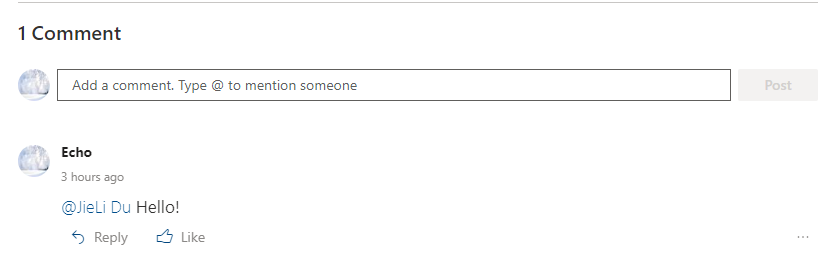
In my test, when I share documents with user, the message "Grant Access-Share and notify" will appear.
The specific operation is shown in the screenshots below:
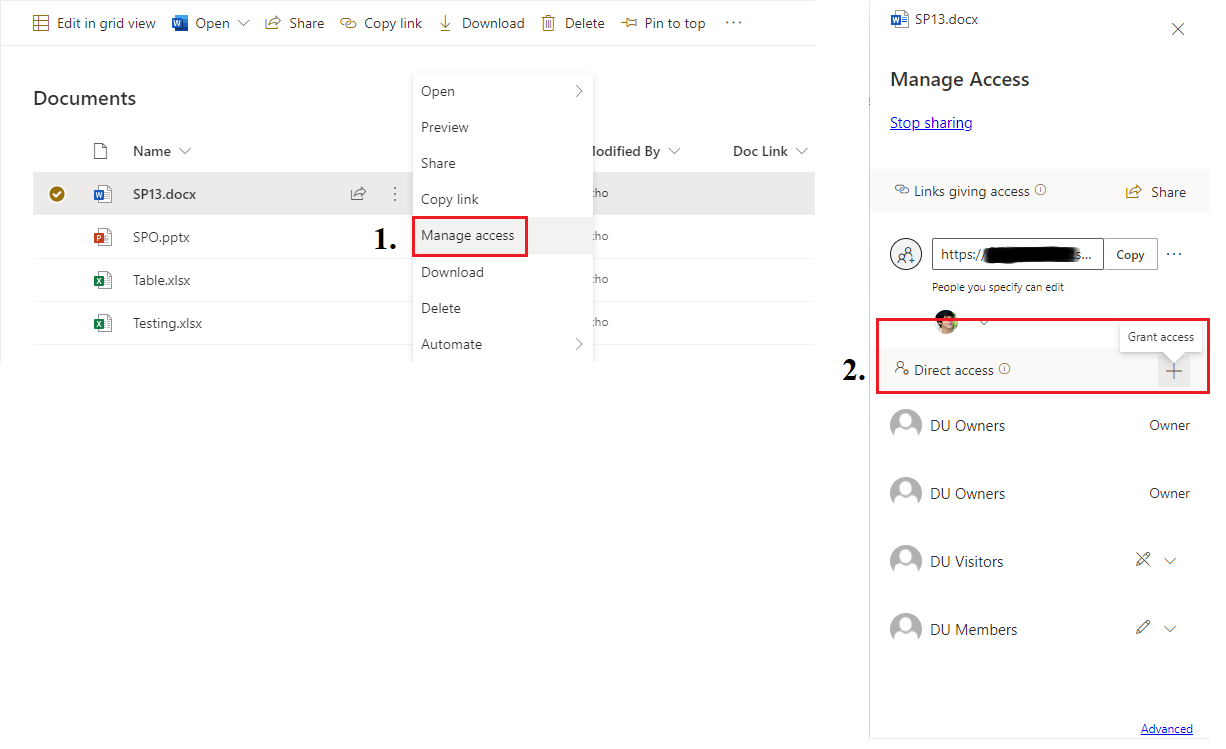
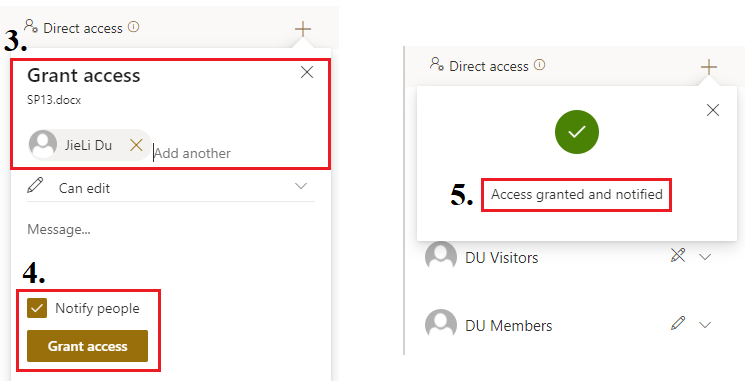
If this is the situation, it means that the user has permissions to this document.
Thank you for contacting a Microsoft Community Support specialist.
Best regards,
Shelby_7891 | Microsoft Community Support Specialist
Hi Shelby!
The issue does not lie within outlook or notifications.
To elaborate on my issue, I'm not able to see the mentions on each page to the right on the sidebar. Kindly see screen shot below. One screenshot is mine and the others is my colleagues. For each time he is mentioned (ex. on immediate actions showing 2), he gets the # that shows up. However, for me, no matter how many times I'm mentioned, it does not show up on the sidebar.
Hi Shelby!
The issue does not lie within outlook or notifications.
To elaborate on my issue, I'm not able to see the mentions on each page to the right on the sidebar. Kindly see screen shot below. One screenshot is mine and the others is my colleagues. For each time he is mentioned (ex. on immediate actions showing 2), he gets the # that shows up. However, for me, no matter how many times I'm mentioned, it does not show up on the sidebar.