Hi, BS YI
Thank you for using Microsoft products and posting them to the community.
There are two options, the first is that you invite a new person into your home group, then give them organizer access and have them kick you out.
The second is to contact Microsoft online support and have them manually kick you out of the group, this option is a little more straightforward:
Contact Microsoft Support.
- Visit this website: Contact - Microsoft Support
- Type contact in the search box.
-
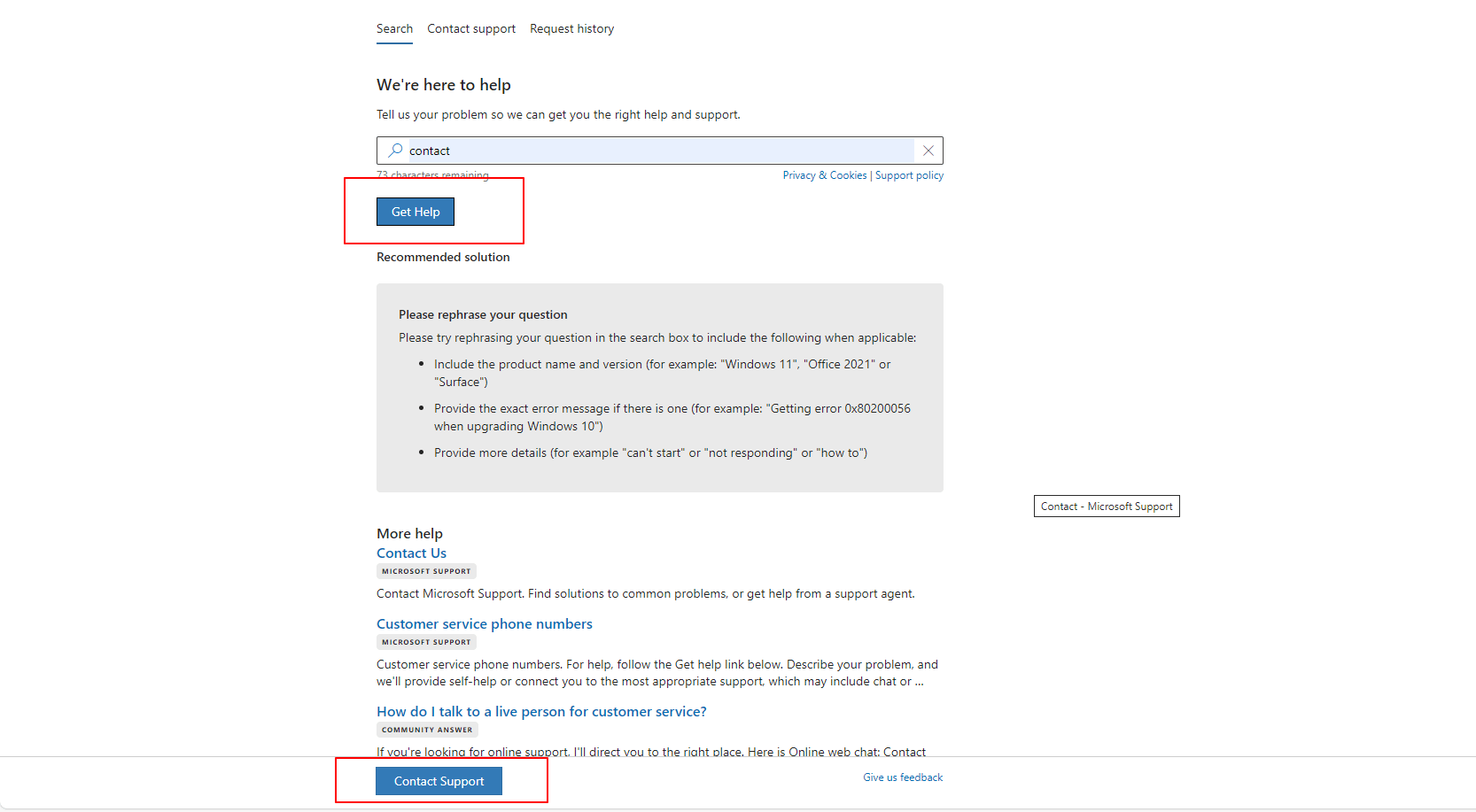
- Now click on Get Help and select Contact Support below.
- Go to the Products & Services tab and choose the Microsoft 365 & Office or Other Products category
-
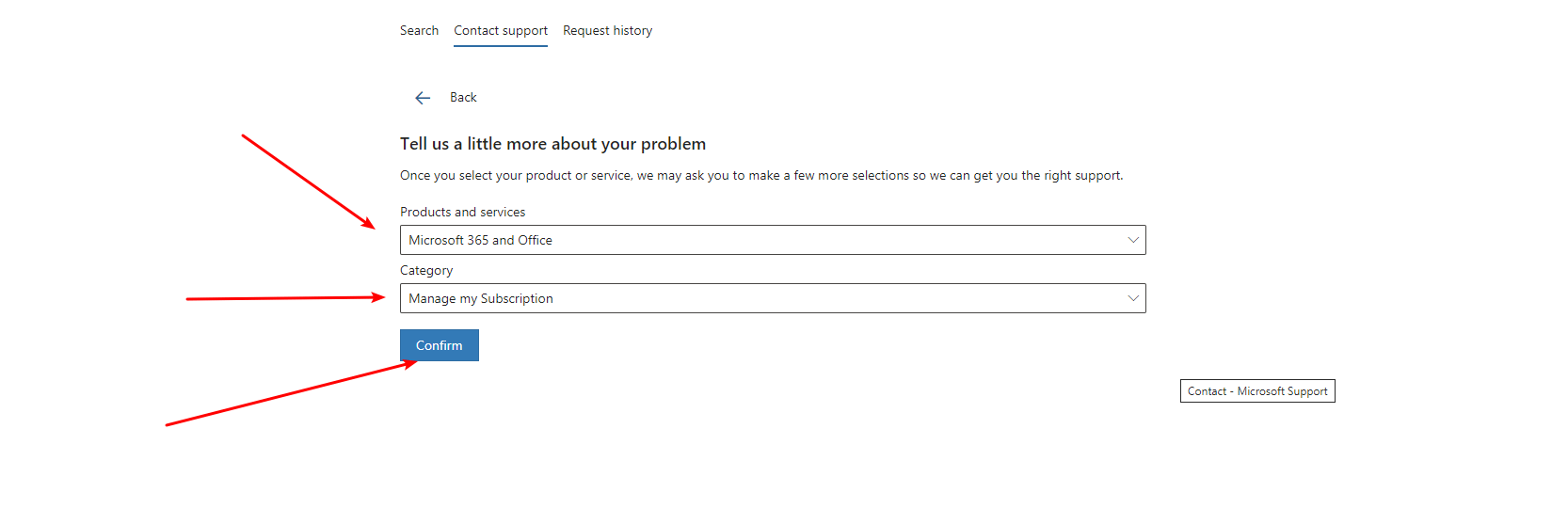
- On the Category tab, choose Manage My Subscription or other alternatives.
- Go to Confirm.
- You can now choose the option to Chat with a support agent in your web browser.
-
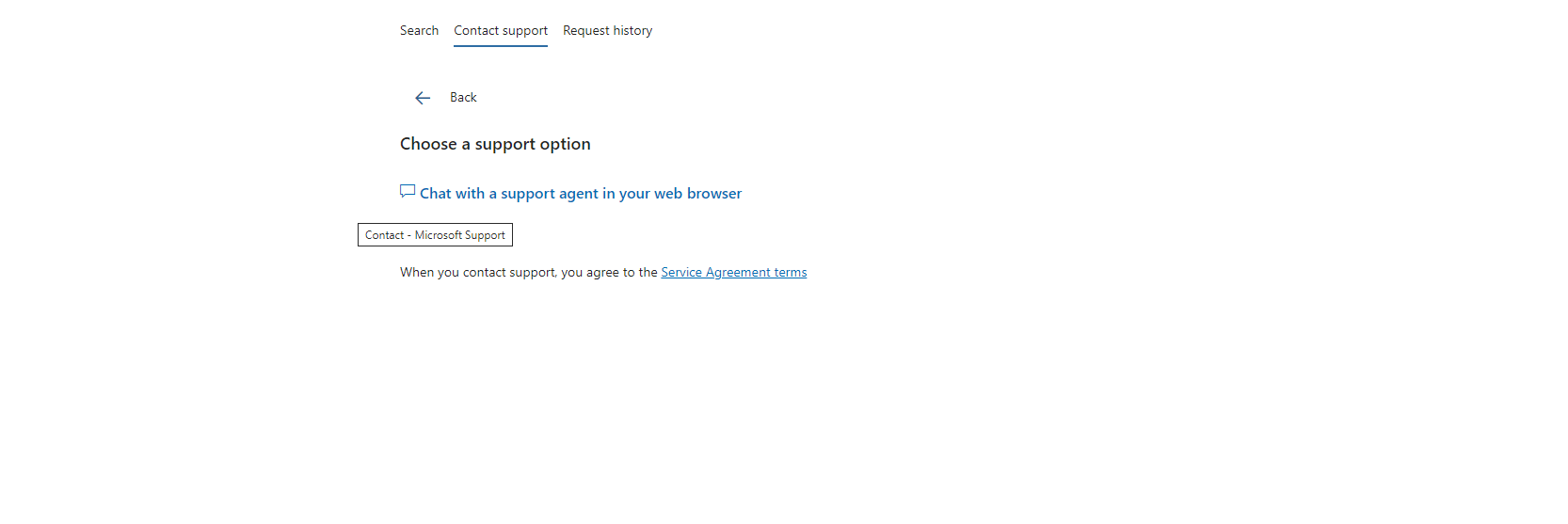
- If it says Get Help from the Community, you can click again and repeat step 5.
-
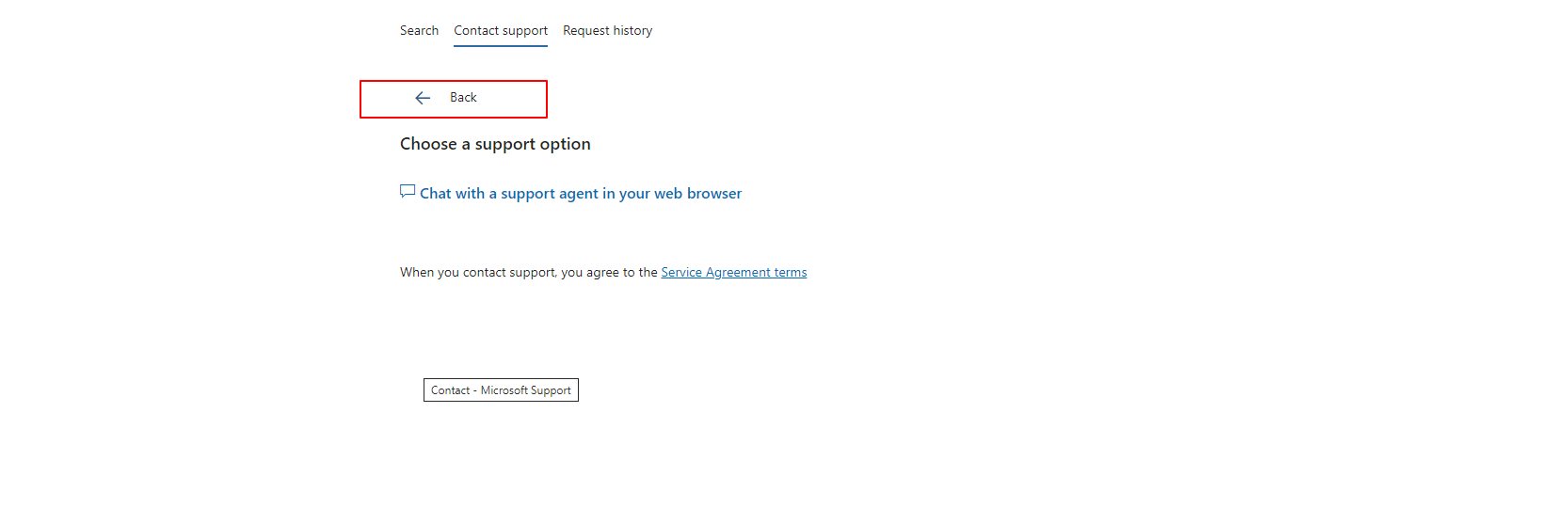
Please note: The chat support team only works at certain times, so if the last window says it's not available, try opening it again the next day. If you prefer phone support, you can leave a phone number. That way, they can call you and help you.
Best regards
Aiden.C - MSFT |Microsoft Community Support Specialist
' cx='32' cy='32' r='32' /%3E%3Ctext x='50%25' y='55%25' dominant-baseline='middle' text-anchor='middle' fill='%23FFF' %3EA%3C/text%3E%3C/svg%3E)
