Dear CeraBillings
Thanks for raising your concerns in Microsoft Community.
I understand that you are experiencing account restrictions when accessing some websites. I understand how you feel and this is indeed a frustrating issue.
It seems that your account has been identified as a minor account, which makes some websites inaccessible. We can try to set it as an adult account.
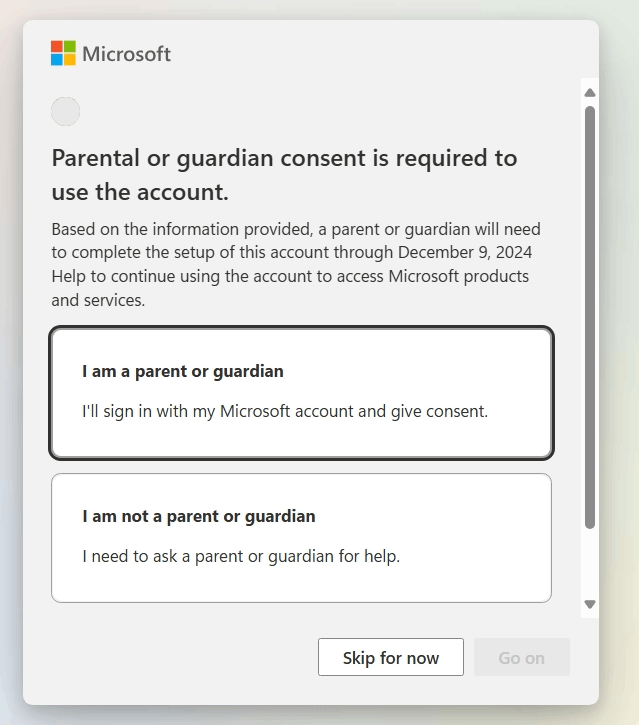
- First, you need to confirm whether the window shown in the figure appears when you log in to the home group webpage:
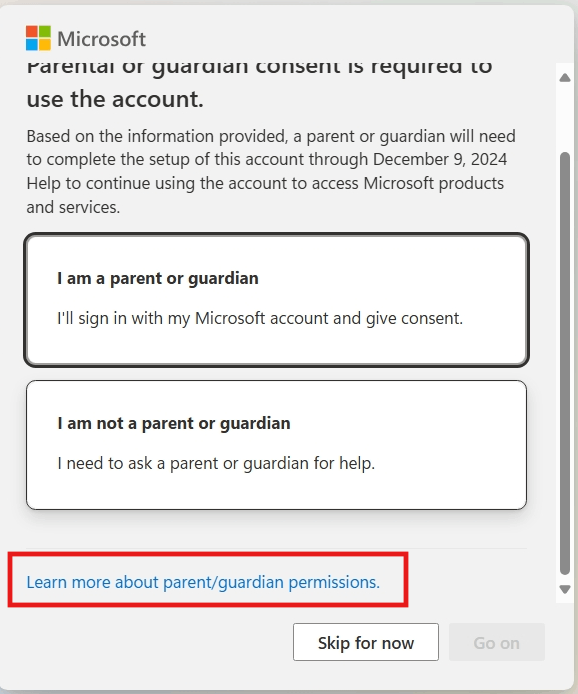
- Scroll down and click [Learn more about parent/guardian permissions]
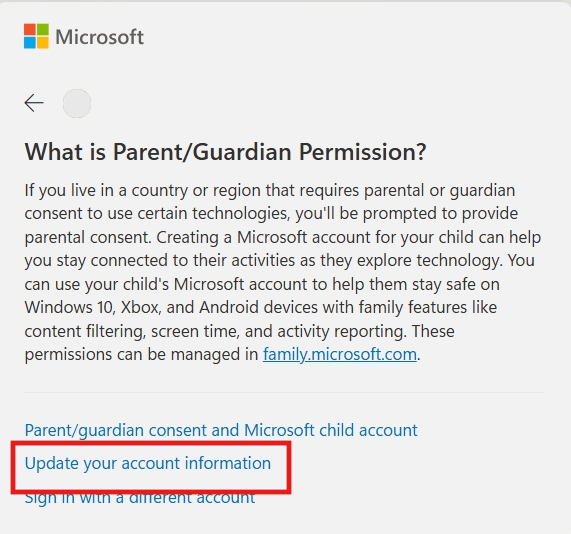
- On the new interface, click [Update Account Information]
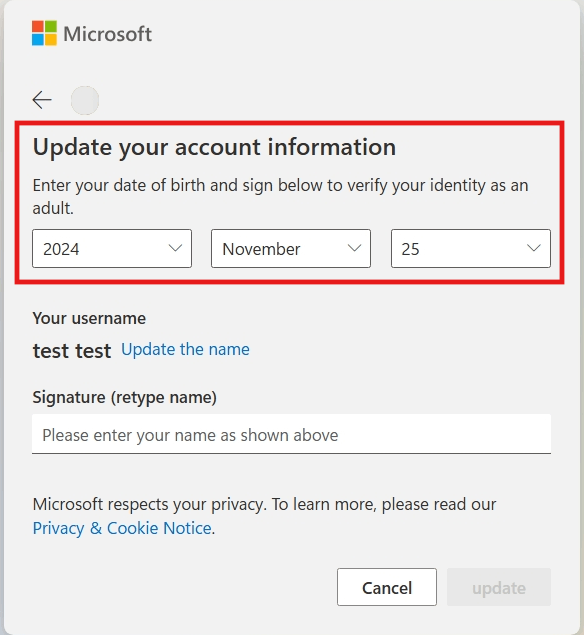
- You can then reset the date of birth of your device account
If your account has already added a guardian account, you can follow the steps below:
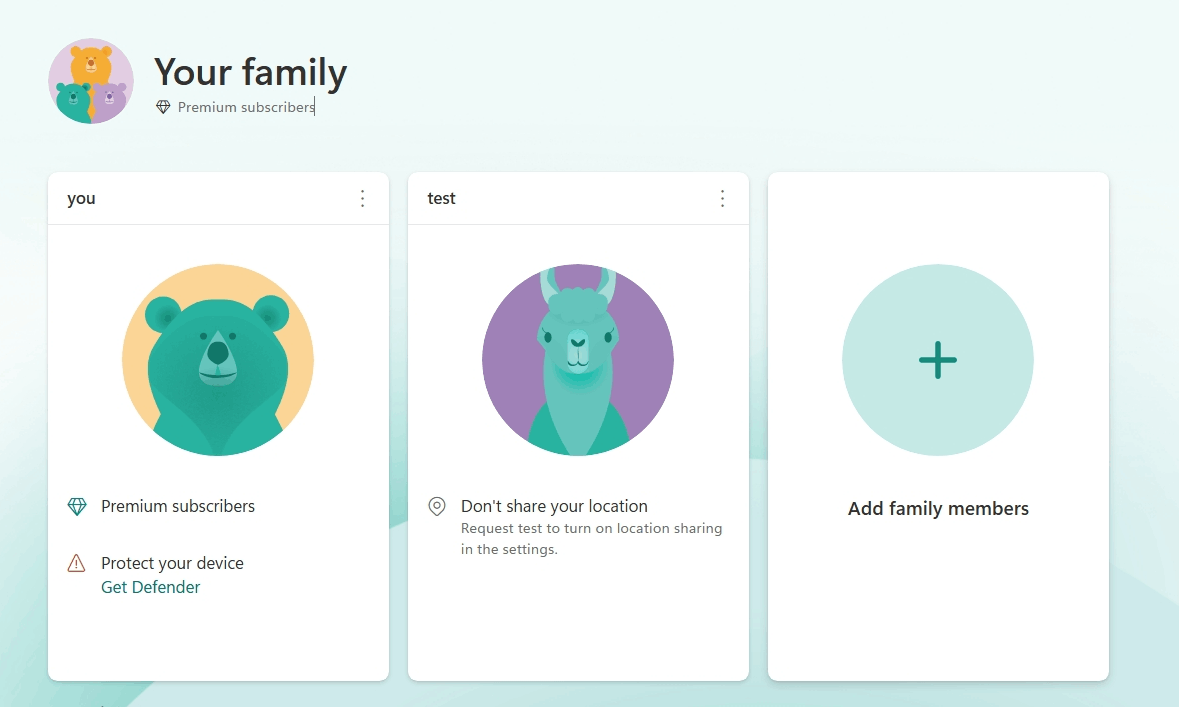
- First visit the family group and log in to the guardian account (If you know what account it is). The following interface will appear (test is a child account):
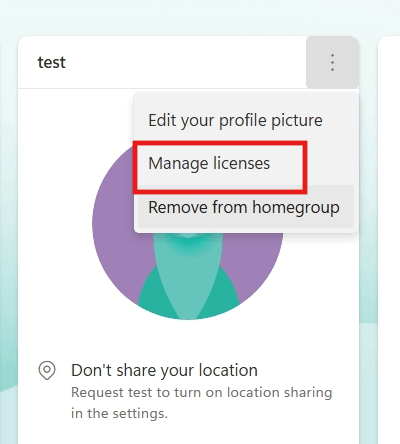
- Click the three dots next to the child account and select [Manage Permissions]
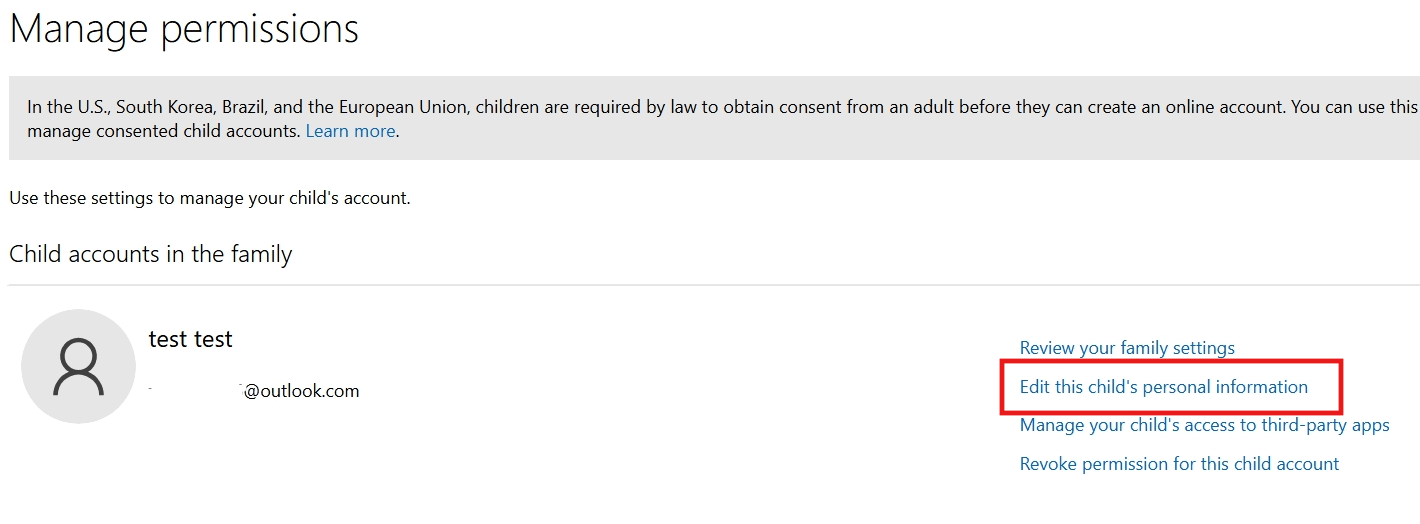
- Click [Edit this child's personal information] on the new page
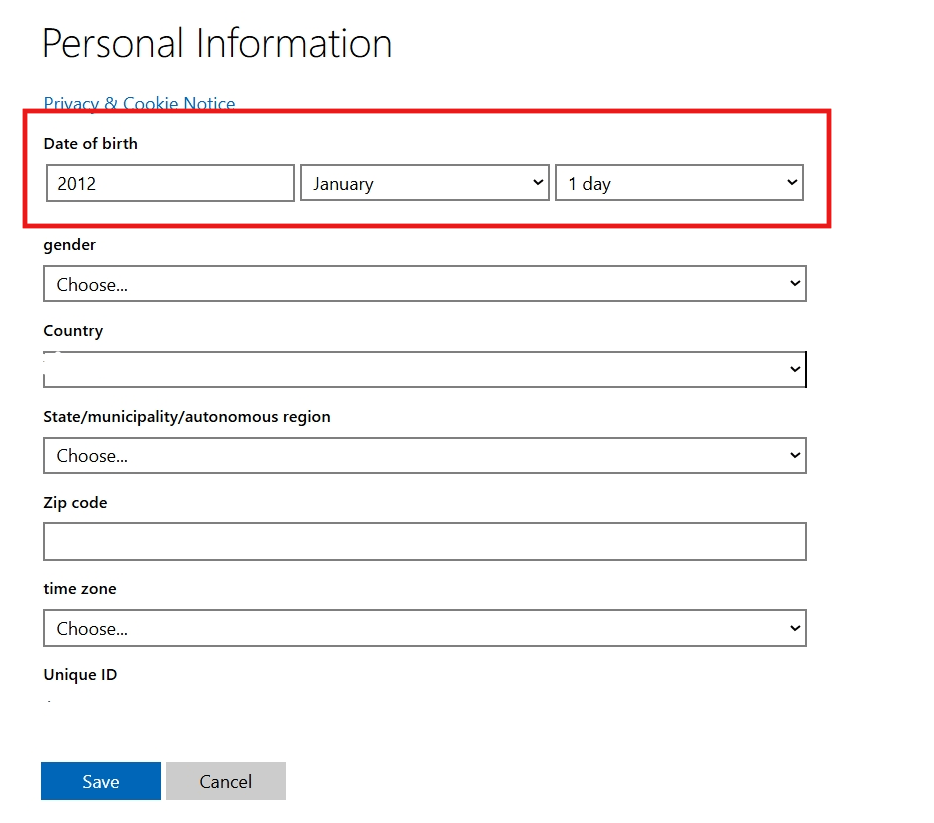
- You can then change the birth date of the child account.
If you can log in to the home group webpage normally without any prompt message, or if it prompts that a parent account authorization is required but you don't know what account it is, please take a screenshot of any prompt message that appears and share it with us by replying. We need to determine the situation in more detail.
You can refer to the above information first, I hope it will be helpful to you. We also look forward to your reply and will continue to provide you with assistance. If there is anything unclear, you can reply at any time.
Your understanding and patience will be greatly appreciated.
Best Regards,
Tracy - MSFT | Microsoft Community Support Specialist
' cx='32' cy='32' r='32' /%3E%3Ctext x='50%25' y='55%25' dominant-baseline='middle' text-anchor='middle' fill='%23FFF' %3EA%3C/text%3E%3C/svg%3E)
